In this lab, you'll take a look at logs that have already been sent to the Splunk instance, performing analysis on them in an attempt to build actionable intelligence for next steps. All required IPs and credentials for this lab are listed below.
Lab Information
| Server | IP |
|---|---|
| DC01 | 172.31.115.100 |
| SERVER01 | 172.31.115.110 |
| LINUX01 | 172.31.115.111 |
| Location/Purpose | Username | Password |
|---|---|---|
| Domain Admin | ine\labadmin | K5+peE#5q+&WJ^c# |
| Linux Server | labadmin | TTnxyAn5=jRd3R |
Step 1 - Start the initial search in Splunk:
Open up Splunk and type the following into the search bar to return all events for the Linux server:
index=* host=linux01
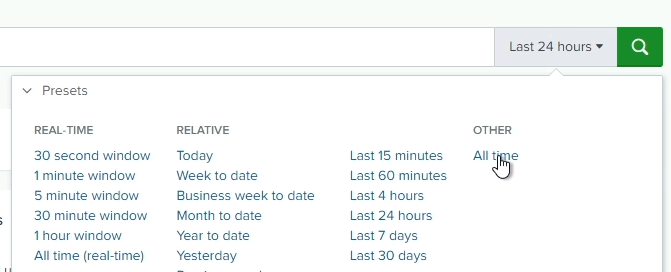
Make sure you set the time range to All time
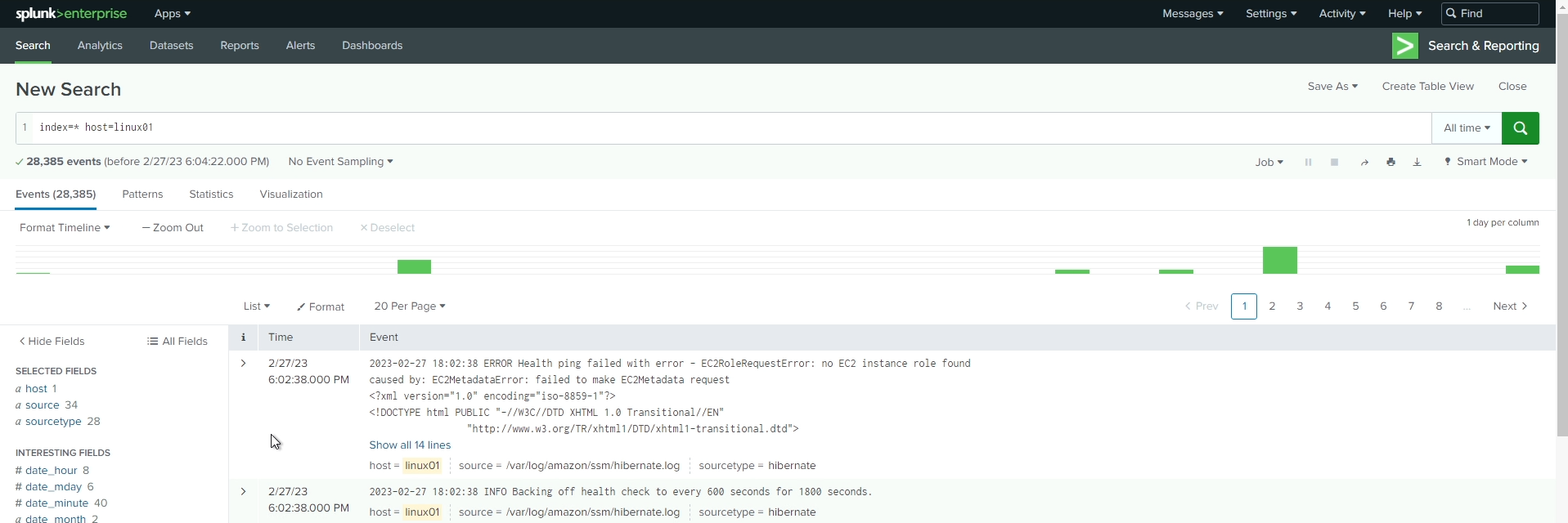
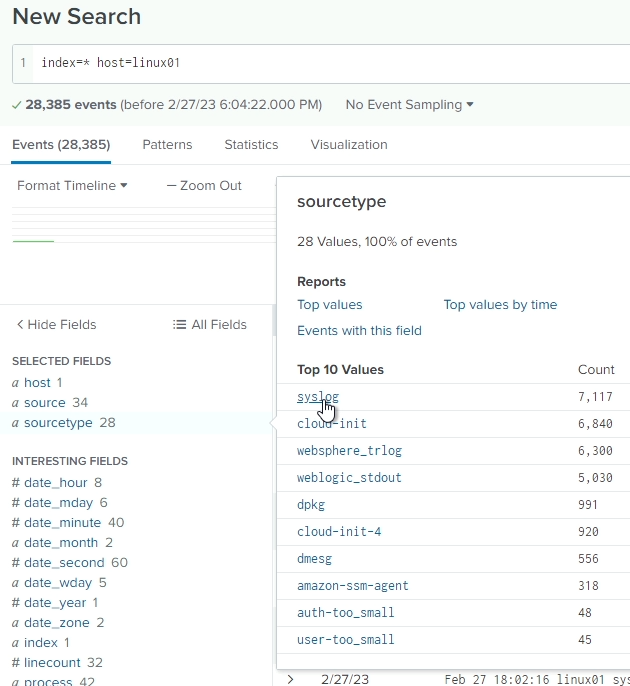
We want to narrow down the type of logs we're looking at to only syslog types. On the left-hand side, click on sourcetype and then click syslog to further filter the search.
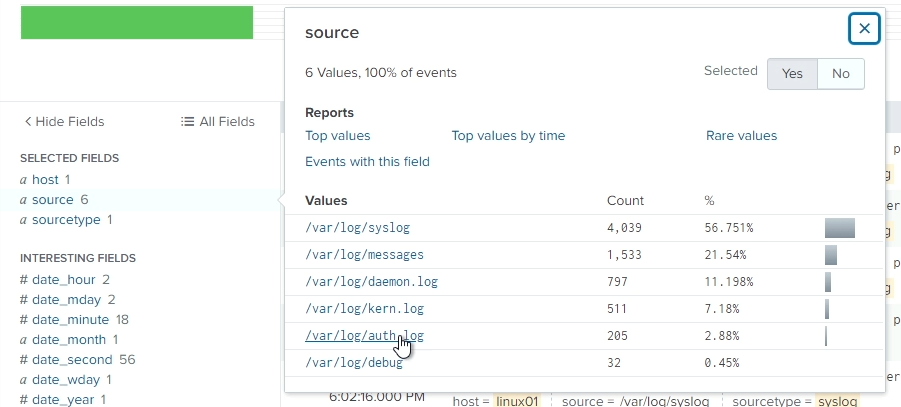
Next, we want to further narrow the search to only authentication/authorization logs (to begin with). Click on source on the left, and then /var/log/auth.log to filter even further.
Look through the logs to see if you can identify anything "malicious".
You should see at least one entry referencing an account named maliciousaccount

If you expand this event, you will notice that there is no individual field that references this account name. This would be our first identified hole in our logging that should be corrected.
However, we can still easily filter based on this account name. Simply click on maliciousaccount in the entry, and click on Add to search. Alternatively, you can append maliciousaccount to the end of the search query, so that it would look like this:
index=* host=linux01 sourcetype=syslog source="/var/log/auth.log" maliciousaccount
Either method will accomplish the same result
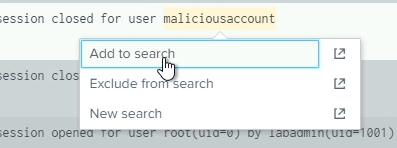
Again, look through the log entries. We want to identify where this account came from. Who created it?
We can see an event where newadmin used the command adduser to create maliciousaccount

Before you move on, look through the rest of the log entries to identify what maliciousaccount may have done and where this account may have logged in from.
After you have identified those items, let's adjust the search to see what newadmin has been doing, and where that account came from as well. Edit your search to look like the following:
index=* host=linux01 sourcetype=syslog source="/var/log/auth.log" newadmin
After this search completes, we should see several interesting entries:




These 4 entries begin to tell a story:
This leads us to believe that the labadmin account has been compromised and the attacker was attempting to cover their tracks by creating chained users.
If we go back to the results for maliciousaccount, we can also see that this account successfully logged in to LINUX01 using SSH from 172.31.115.100, which is our domain controller!

At this point, we have identified that there are several possible points of compromise:
Step 2 - Identify any other suspicious activity related to maliciousaccount:
Now, let's adjust our search timeframe to reflect anything within 5 minutes before and after maliciousaccount logged in to the server. To do this, find that entry in the list and click on the Time. Adjust the filter to show +/- 5 minutes
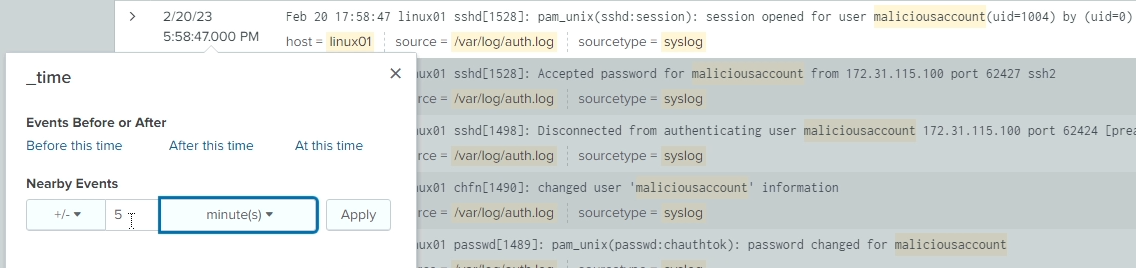
Since we want to look at any logs around that time, let's also remove maliciousaccount from the search query, so it should now look like this:
index=* host=linux01 sourcetype=syslog source="/var/log/auth.log"
Look through the resulting events and see if you can identify any additional useful information. Remember, the goal here is to gather actionable information.
We're not seeing a lot of new information here, so let's expand our search to show us other types of logs. Remove source="/var/log/auth.log" from the search query. It should now look like this:
index=* host=linux01 sourcetype=syslog
We will naturally see a lot more unrelated data in our logs, since we have widened our search terms - this is expected and desired. We are trying to identify any other general information that can expand or support the story we are building.
If you don't see any additional information to support your efforts, try removing the sourcetype from the query as well. Let's also add in maliciousaccount to the query again. We're doing this because we've expanded the types of logs we're seeing, so we want to narrow down on that specific term again.
Your search query should now look like this:
index=* host=linux01 maliciousaccount
Not seeing any new information? Let's remove maliciousaccount from the query then. Remember, we're still narrowed down to logs within 5 minutes before and after the maliciousaccount logged in from DC01.
index=* host=linux01
We're still not overwhelemed by the logs at this point, because of that narrowed timeframe in the search. However, NOW we're seeing some interesting information:
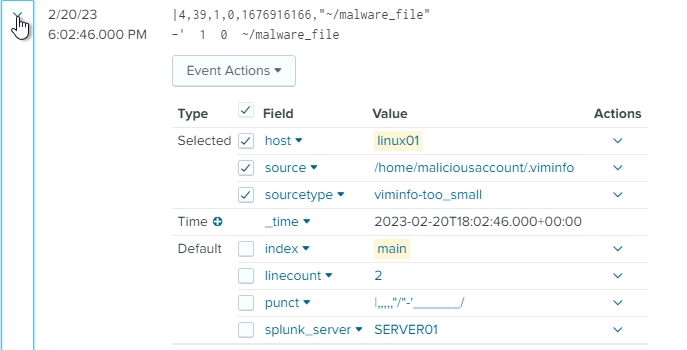

Our attacker made this pretty obvious didn't they?
At this point, we've put together an interesting timeline of events:
We also have some possible next steps based on this information:
Feel free to investigate further to see if you can identify any other activity that may have taken place on this server. Experiment with different search criteria, including using some wildcards in your searches (*).